
Roles & Permissions
Built for every role in your club.
Admin, secretary, coach, and parent each get their own dashboard, scoped to exactly what they need to see.
Included on every plan, including free Starter


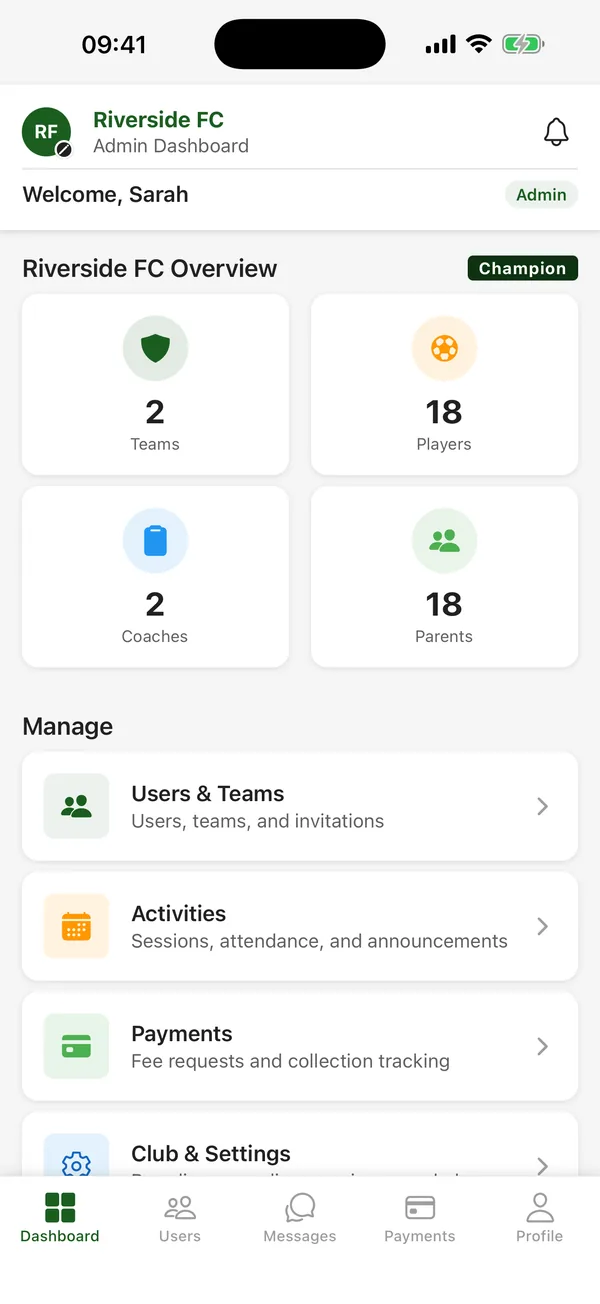
A spreadsheet doesn\u2019t know who\u2019s looking at it.
Shared spreadsheets and group chats give everyone the same view, whether they should see it or not. A generic tool built for one type of user forces the rest of your committee to work around it. A club needs an admin, a secretary, coaches, and parents to each get exactly what their job requires, nothing more.
Four roles, each with their own dashboard
Admin
Full club control: team and user management, settings, billing, plus everything a coach or secretary can do.
Secretary
Fixtures, bulk import, team messaging, and optional payment requests, decided per club by the admin.
Coach
Their own teams only: attendance, scorecards, sessions, messaging, nominations, and their own certifications.
Parent
Their own children only: RSVP, fixtures, schedule, payments, and achievements. Nothing from other families.
Staff join with an invite code and get assigned to their teams. Players who leave the club can be archived, not just deleted, so their history is kept.
Available on every tier
All four roles are included on every tier, from the free Starter plan upwards.
See full pricing comparison →Roles & Permissions: common questions
Which CTM plans include Roles & Permissions?
Roles & Permissions is included on every CTM plan, including the free Starter plan for up to 3 teams. Premier (€29 a month) and Champion (€79 a month) add more teams and features.
Does Roles & Permissions work on iPhone and Android?
Yes. CTM is an app for iPhone and Android, and Roles & Permissions works the same on both. There is no web version.
How do I start using Roles & Permissions?
Download CTM free from the App Store or Google Play, create your club, then invite your coaches and parents with your club code.
Get your club organised this week.
Free for up to 3 teams, with no time limit and no credit card. Download CTM and create your club.
iPhone and Android · Compare plans →